n8n for AI Workflow Automation: Building Production-Ready Agent Pipelines
How I use n8n to orchestrate AI agents and automation pipelines in production — from trigger to LLM call to error handling that doesn't fail silently.
Most n8n tutorials show you a five-node demo: webhook in, LLM call, Slack message out. That works for a demo. It does not survive contact with production traffic, rate limits, or a document that doesn't parse the way you expected. Here's what I've learned building AI automation pipelines in n8n that actually stay up.
Why n8n for AI workflows
The appeal isn't that n8n is more powerful than writing the equivalent in code — it isn't. It's that an AI automation pipeline is mostly glue: pull data from one system, transform it, call a model, write the result somewhere else, notify someone. n8n makes that glue visible, versionable, and editable by someone who isn't going to open a pull request to change a prompt.
For a full-stack build, I'll usually still write the core application logic in the codebase and use n8n for the parts that genuinely are integration glue — the boundary matters more than the tool.
The building blocks that matter
Trigger nodes. Webhook triggers are the most common starting point for AI pipelines — a form submission, a new row in a database, an inbound email. Get the trigger's failure mode right early: what happens if the webhook fires twice, or arrives with a malformed payload? n8n won't protect you from either by default.
HTTP / LLM nodes. Whether you're calling the Anthropic or OpenAI API directly via an HTTP node or using a dedicated AI node, treat the response as untrusted input. Models occasionally return malformed JSON even when asked nicely for structured output — validate before you pass the result downstream.
Code nodes. For anything beyond simple field mapping, drop into a Code node rather than fighting the visual expression editor. It's faster to write, easier to test, and easier for the next person to read.
A real pipeline shape
A pattern I reuse often:
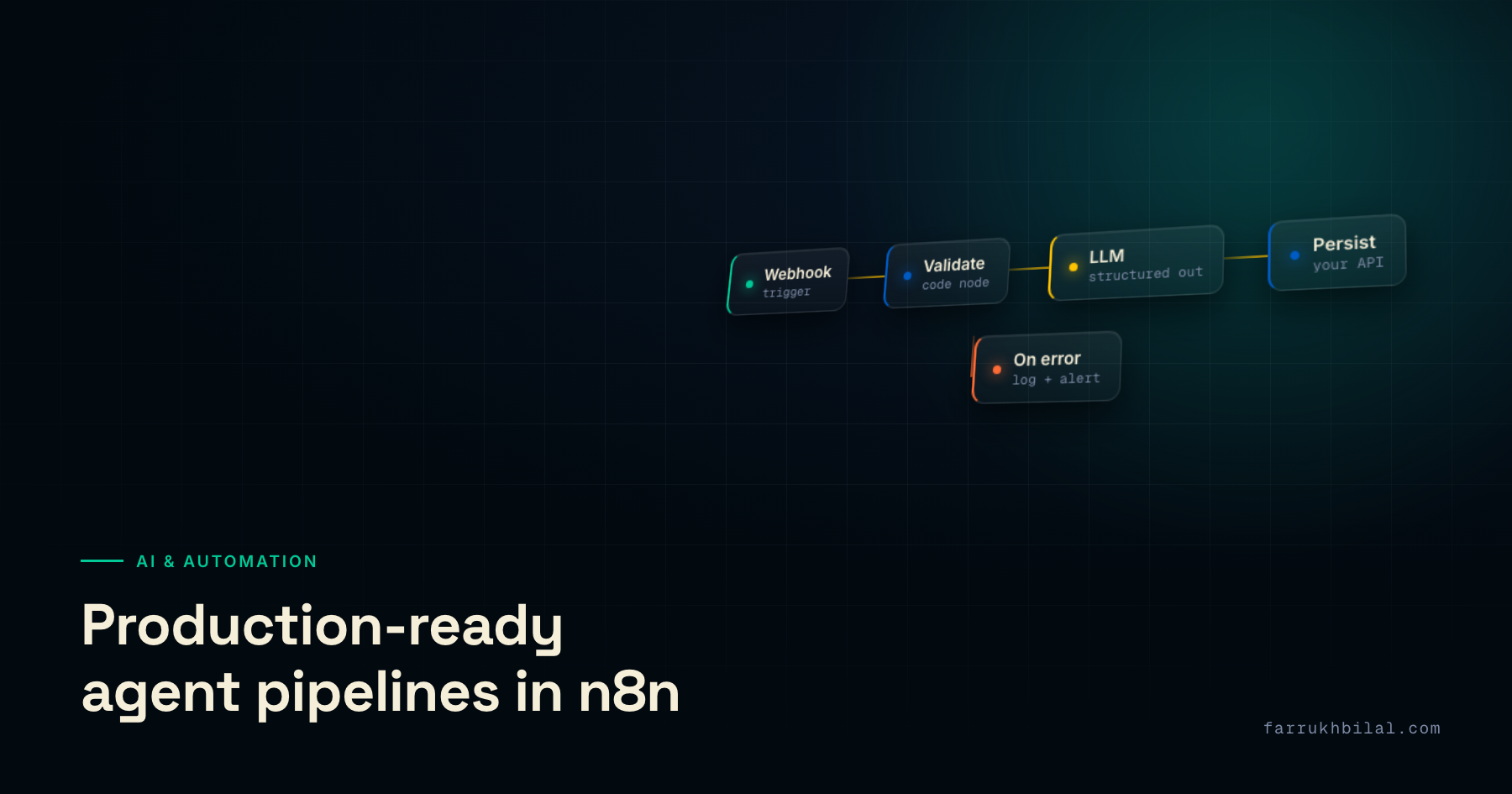
- Webhook trigger receives a document or event
- A Code node validates and normalizes the payload — reject early, don't let bad data reach the model
- An LLM node performs extraction or classification, prompted for strict structured output
- A second, cheap validation step checks the model's output shape before it's trusted
- Results are written to the database via an HTTP node against your own API — not directly to the DB from n8n, so your application's validation rules still apply
- A notification branch fires only on failure, not on every run — success shouldn't be noisy
That last point matters more than it sounds: a pipeline that Slack-pings on every success gets muted within a week, and then failures get muted along with it.
Error handling that doesn't fail silently
n8n's default behavior on a node error is to stop the workflow. That's often correct, but it's invisible unless you wire up an error workflow. Every production pipeline I ship has a dedicated error-handling workflow attached, logging the failure with enough context — the input payload, the node that failed, the error message — to debug without re-triggering production data.
Retries deserve the same care. Blind retries on a rate-limited LLM call just compound the problem; use exponential backoff, and cap the retry count so a bad input doesn't loop forever.
When n8n is the wrong tool
If the "workflow" is really your core product logic — the thing that makes the business work, not the glue around it — put it in your codebase, not in a visual builder. n8n workflows are hard to unit test, hard to code-review meaningfully, and easy to change by accident. Automation glue: yes. Your actual product: no.
Used for what it's good at, n8n turns a class of integration work that used to take days into something that takes hours — and it's a big part of how I've been building AI-powered automation for clients, alongside the LLM and MCP integration work underneath it.